
Big Mel
@bigboss
also, when in your library, you cant just hit the down arrow to scroll through anymore. it drops down info on each album. this shyt is wack.

im so use to dragging my music to the left
but what i hate is that i cant add music to my itouch off my 'recently added' playlist so this just adds to an unnecessary
step (finding the song on my library) just to add music
it looks great tho
also, when in your library, you cant just hit the down arrow to scroll through anymore. it drops down info on each album. this shyt is wack.
go to your menu bar
then go to view everything is there just click show for what you want shown

you can show the side bar which makes it look like the old version with the playlists etc all on the side but i don't think you can change it back to a list view or cd flip view.shyt works for me
shyt works for me
you can show the side bar which makes it look like the old version with the playlists etc all on the side but i don't think you can change it back to a list view or cd flip view.
you're lying. when you simply hit the down arrow on the library that now features all the album covers, a drop box appears of the album your arrow is on. it doesn't simply scroll through the library uninterrupted.
i've had t on grid view for years now anyway which is probably why i don't have much of a problem switching to the new version but a lot of people like that "cd" viewthat view is trash
i got the sidebar back
the column browser on top (column browser >>>>>>>>>>>>)
and the status bar at the bottum
everything working just like it did on the previous version
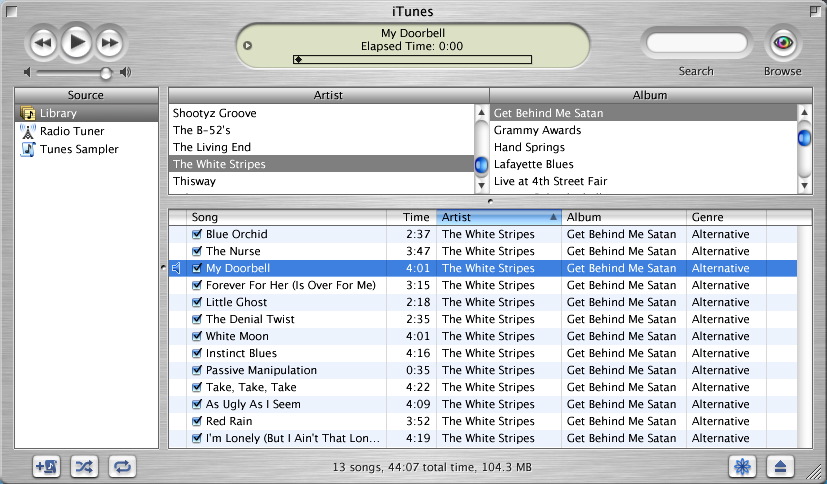
this is how mine is set up.... but witht he updated layout
I want mine to look like that. How do I do it?
go to your menu bar
then go to view
everything is there just click show for what you want shown
