ReggieFlare
Superstar
Oh nah it’s DDR4, I guess that would explain itddr5? not bad by prices now if so.

Oh nah it’s DDR4, I guess that would explain itddr5? not bad by prices now if so.
Fighting the urge to just buy this 5090FE
Bro I hear you...but it's been going on sale at MSRP on Best Buy and NVIDIA's site the last 24 hoursOutside of using it for work, it's crazy to pay $4500 now, because you won't even be able to sell it for a small loss later. You could easily buy a 5080 for $13/1400 and sell it later and recoup most of your money back to purchase a 60 series card. And given the 50 series is on the same process node as the 40 series, the 5090 isn't worth the money, especially $4,000+.

Bro I hear you...but it's been going on sale at MSRP on Best Buy and NVIDIA's site the last 24 hours


 www.windowslatest.com
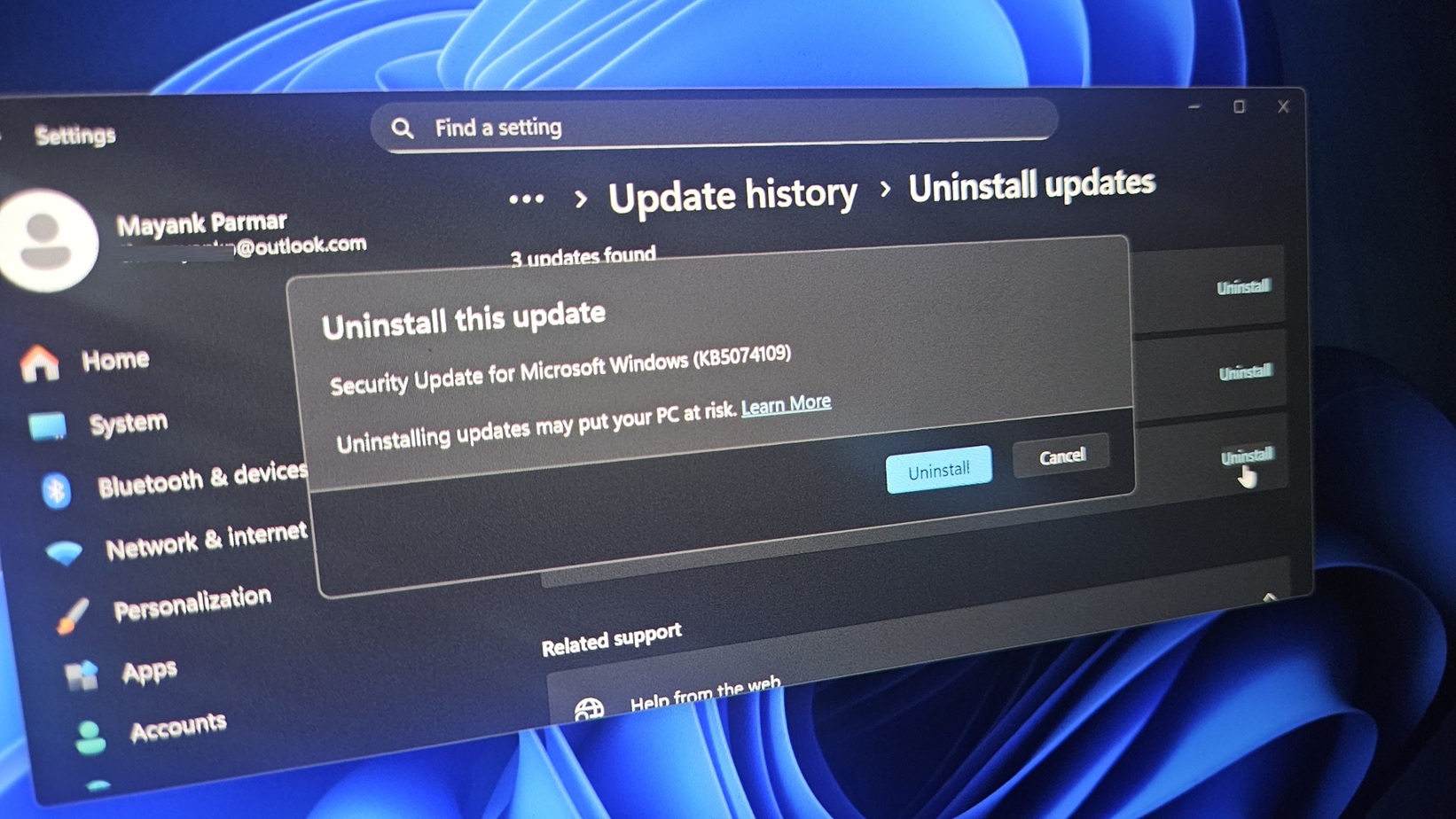
Microsoft says uninstall Windows 11 KB5074109 to fix Outlook POP, PST hang, as 2026’s first update causes havoc
If your Outlook Classic freezes or hangs when you use POP accounts or deal with PST files, you’ll need to remove Windows 11 KB5074109 or use webmail. In some cases, third-party apps can also become unresponsive if they save files to cloud storage, such as OneDrive. These two issues are apparently related to a single core problem.
It’s very rare for Microsoft to admit that it messed up, but the January 2026 Update is a disaster, as it continues to break features in Windows 11, including something as basic as Sleep mode (S3) on older PCs. In our tests, Windows Latest found that the update causes a black screen, resets the desktop background, breaks File Explorer customization, among other problems.
KB5074109 is a mandatory update that began rolling out on January 13, 2026 and it installed automatically on our PCs. Your PC is using this update if you see OS Build 26200.7623 / 26100.7623 / in Settings > System > About or winver.
However, some of us noticed that Outlook Classic no longer works, and you won’t be able to access your emails. This issue only affects the older Outlook Classic, not the newer web-based Outlook (new).
Windows Latest traced the issue to a POP account configured in Outlook Classic for Windows 11. I specifically use POP (Post Office Protocol) in Outlook to access my emails offline on a single device, and consolidate multiple accounts into one inbox
Outlook also crashes on Windows 11 25H2 if your Outlook profile has PSTs synced to OneDrive. For those unaware, PST (Personal Storage Table) is a local Outlook data file that stores your POP mail, Sent Items, drafts, calendar, contacts, and indexes on your PC.
In an update to a support document spotted by Windows Latest, Microsoft confirmed that it’s aware of the problem affecting Outlook. The company added that existing workarounds are “complicated,” so you’re recommended to use webmail. If it’s not possible to use webmail, you should remove Windows 11 KB5074109.
“Until a fix is available, please use webmail. The other workarounds may be complicated,” Microsoft noted. Either “Move PSTs out of OneDrive,” which is complicated, or “remove the Windows Update.” These are the other two workarounds if Outlook is no longer working on Windows 11.
Microsoft warns that there could be potential security issues if you remove Windows updates. For example, the January 2026 Update fixed more than 100 security issues.
...

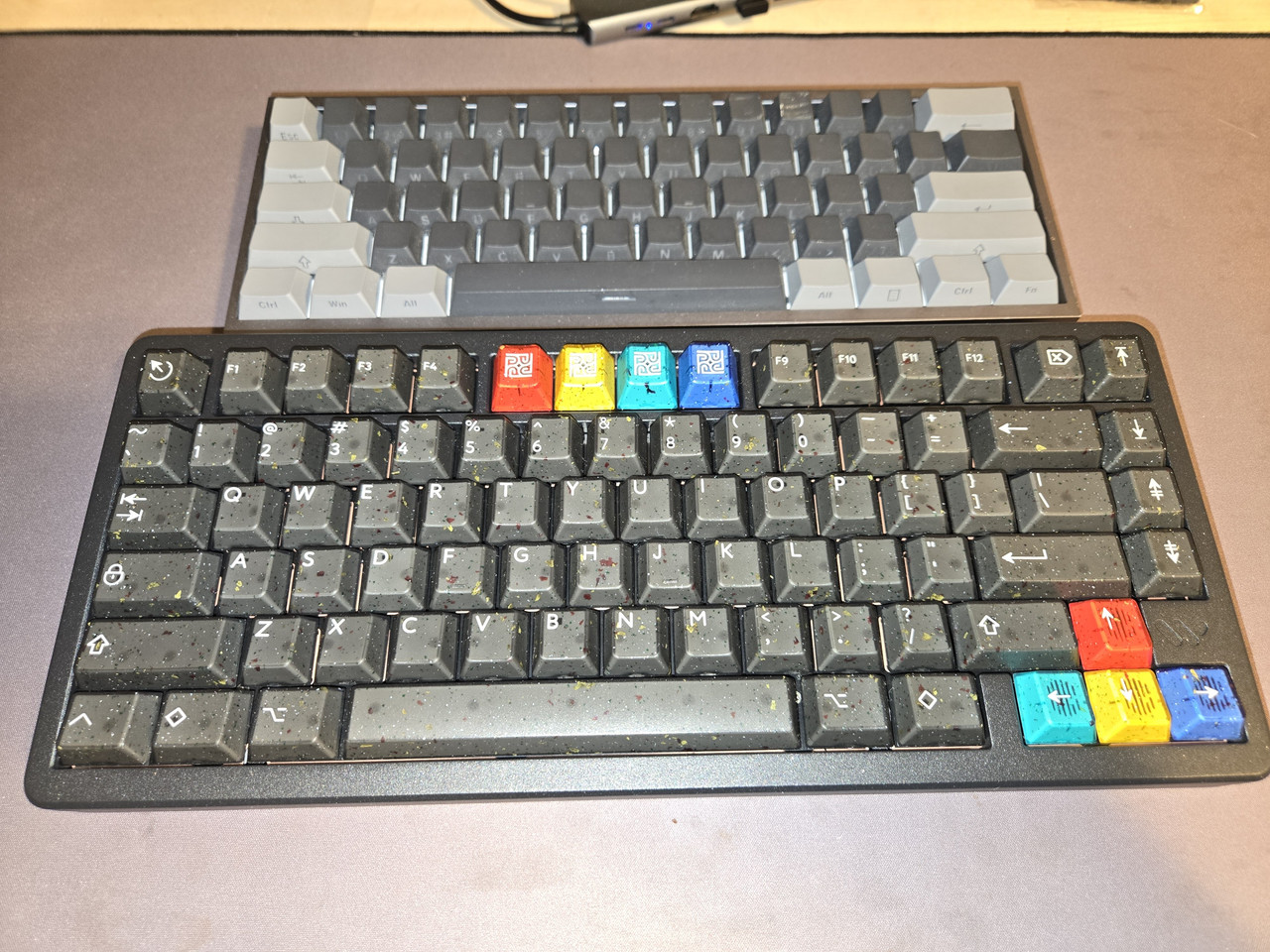

My new gaming keyboard on bottom replacing my old on top.
 tkl is the sweetspot for me.
I'm not a PS5 player but I looked up the specs for the PS5 pro and you can definitely build a PC more powerful. A quick spec look up for the PS5 PRO says it comes with a 8 core CPU, 16 Gigabytes of RAM, 2 terabytes of storage space and RNDA 3 GPU architecture, 60 compute units.Even though this is possibly the WORST time for anyone to be looking at PC/GPU parts at this time, can any point me towards the current day console equivalent of GPU's on the market so I can have some idea as to what I should be looking at when I say that I want to potentially build a PC that's MORE powerful than said consoles?
Series X is 6700XT level and PS5 is 6700 non XT level. Purely based on tflops rating.
Is what I found on Reddit, but as I'm going through the string of comments, people are arguing, tossing off other numbers/specs and I'm getting one of those underwater headachces, the shyt is so confusing at the moment. Cause the GPU arms race is rather intimidating to a breh who never really followed/gave a shyt about that stuff until now.


Yo real talk, fukk AI. I just decided to take a look at RAM and SSD prices… shyt is out of control. Corsair is absolutely TAXING people for their RAM kits. It doesn’t even matter what capacity or timings you’re looking at. An SSD I bought from Amazon back in September is now TRIPLE the price it was then. fukk all of this to be real. I’m not a penny pincher either but this is so far beyond anything acceptable.
I feel bad for anyone trying to get a build together right now. I hope all these clowns go under when the AI shyt doesn’t go the way they want it to.