Essential The Official Photography Thread

GoldenGlove

πŸ˜πŸ˜‘πŸ˜ΆπŸ˜‘πŸ˜
Staff member
Supporter
Joined
May 1, 2012
Messages
61,590
Reputation
6,081
Daps
145,245
@Kamikaze Revy

What are you using for storage solutions and file sharing with clients?

:jbhmm:

Really looking into making my workflow just smoother and make the presentation sleeker with clients. I've been using Google Drive for years, Dropbox prior to that. It's $50 a month and it's on an email account that's not the same as my business account so it's just time to clean shyt up.

Going to migrate everything over to a new service and even looking at some NAS options because I have OCD like that with archival and don't want to have to delete anything over time

:flabbynsick:

Just trying to see what others are using along with doing the research as well. Found a service called Shade Inc that looks pretty cool but the lack of user content around is and testimonials is making me hold off.
 

Kamikaze Revy

Bwana ni mwokozi wangu
Supporter
Joined
Sep 4, 2012
Messages
30,311
Reputation
9,673
Daps
78,125
Reppin
Outer Heaven
@Kamikaze Revy

What are you using for storage solutions and file sharing with clients?

:jbhmm:

Really looking into making my workflow just smoother and make the presentation sleeker with clients. I've been using Google Drive for years, Dropbox prior to that. It's $50 a month and it's on an email account that's not the same as my business account so it's just time to clean shyt up.

Going to migrate everything over to a new service and even looking at some NAS options because I have OCD like that with archival and don't want to have to delete anything over time

:flabbynsick:

Just trying to see what others are using along with doing the research as well. Found a service called Shade Inc that looks pretty cool but the lack of user content around is and testimonials is making me hold off.
My needs are fairly unique in that I shoot a ton of 6K R3D RAW footage. On average, a single half day shoot for me is 1TB of space.
I have a NAS in my office with a 9TB SSD RAID storage and 90TB of HDD RAID storage.

Here's the NAS:
https://www.bhphotovideo.com/c/prod...h973ax_32g_us_9_bay_desktop_nasamd_ryzen.html
and here are the drives (They don't make the 18TB drives I have so the link is for the 20TB drives):
https://www.bhphotovideo.com/c/product/1760986-REG/seagate_st20000nt001_20tb_ironwolf_pro_7200.html

My main need for the NAS is because as of last year I have a permanent part time employee with me in the office and I needed a solution where 2 Mac Studio machines could work from the same storage pool editing 6K R3D RAW footage efficiently at the same time.
With this NAS I have both Mac Studio's connected to the NAS via 10G ethernet and it works great.

As far as file delivery, I have a DropBox account that we pay like $20/month for.
I used it only for finished videos I'm transferring to clients and I keep those finished videos in their own folder for about 6 months before purging (even still, I don't guarantee storing their content for longer than 2 weeks). You could technically use the NAS for file delivery but I found my clients have the least amount of trouble with using DropBox. I avoid creating friction points in the client experience.

On the office side of things, I don't guarantee keeping ANYTHING for clients post delivery unless we have a retainer agreement or at least one project on the books. Space is just too costly for me to just keep every single second of 6K R3D RAW footage indefinitely.

Now for you, you could probably get away with a nice 2 bay Synology NAS with 2 20TB HDDs in it and configure it as RAID 1 so you have 20TB of total usable space and the other 20TB is on an automatic back up in case anything happens and if you care enough about the footage.
I personally don't care as much because I my business focus is on shooting and editing new content, not in digging through old folders for something from years ago. It's much more efficient for me to just go shoot new content, and more importantly, I our quality has significantly improved year over year and I like things looking cohesive.
 

GoldenGlove

πŸ˜πŸ˜‘πŸ˜ΆπŸ˜‘πŸ˜
Staff member
Supporter
Joined
May 1, 2012
Messages
61,590
Reputation
6,081
Daps
145,245
My needs are fairly unique in that I shoot a ton of 6K R3D RAW footage. On average, a single half day shoot for me is 1TB of space.
I have a NAS in my office with a 9TB SSD RAID storage and 90TB of HDD RAID storage.

Here's the NAS:
https://www.bhphotovideo.com/c/prod...h973ax_32g_us_9_bay_desktop_nasamd_ryzen.html
and here are the drives (They don't make the 18TB drives I have so the link is for the 20TB drives):
https://www.bhphotovideo.com/c/product/1760986-REG/seagate_st20000nt001_20tb_ironwolf_pro_7200.html

My main need for the NAS is because as of last year I have a permanent part time employee with me in the office and I needed a solution where 2 Mac Studio machines could work from the same storage pool editing 6K R3D RAW footage efficiently at the same time.
With this NAS I have both Mac Studio's connected to the NAS via 10G ethernet and it works great.

As far as file delivery, I have a DropBox account that we pay like $20/month for.
I used it only for finished videos I'm transferring to clients and I keep those finished videos in their own folder for about 6 months before purging (even still, I don't guarantee storing their content for longer than 2 weeks). You could technically use the NAS for file delivery but I found my clients have the least amount of trouble with using DropBox. I avoid creating friction points in the client experience.

On the office side of things, I don't guarantee keeping ANYTHING for clients post delivery unless we have a retainer agreement or at least one project on the books. Space is just too costly for me to just keep every single second of 6K R3D RAW footage indefinitely.

Now for you, you could probably get away with a nice 2 bay Synology NAS with 2 20TB HDDs in it and configure it as RAID 1 so you have 20TB of total usable space and the other 20TB is on an automatic back up in case anything happens and if you care enough about the footage.
I personally don't care as much because I my business focus is on shooting and editing new content, not in digging through old folders for something from years ago. It's much more efficient for me to just go shoot new content, and more importantly, I our quality has significantly improved year over year and I like things looking cohesive.
The more I'm thinking about it, the more I'm thinking I'm a have to go all in with this NAS set up. I'm to the point where I just want access to everything anywhere on all my devices. Currently have a documentary in the festival circuit with another docu-series that I'm about to really start getting in the weeds for. For that kind of work and the nature of archival for impact storytelling, I kinda want to hold the footage for a bit because I know I'll be able to repurpose it as marketing material when I'm building platforms around the projects

I have to furnish my basement that I just got done, but I have some money to spend before the new year hits so I don't get fukked during tax season.

:mjpls:

I wish I could just switch over my Google Drive account from 1 email to another just so I don't have to do that Google Takeout shyt which is a clunky ass process.
 

JD2019

Pro
Joined
Sep 14, 2019
Messages
216
Reputation
45
Daps
502
Reppin
Dallas
Bit the bullet and ordered an R6 mkiii and got a couple of lenses during the Canon Black Friday sale. Now I gotta get back out there and put it to good use. Should be here by noon tomorrow so Iβ€˜ll share a few shots in the thread once I get it.
 

JD2019

Pro
Joined
Sep 14, 2019
Messages
216
Reputation
45
Daps
502
Reppin
Dallas
The more I'm thinking about it, the more I'm thinking I'm a have to go all in with this NAS set up. I'm to the point where I just want access to everything anywhere on all my devices. Currently have a documentary in the festival circuit with another docu-series that I'm about to really start getting in the weeds for. For that kind of work and the nature of archival for impact storytelling, I kinda want to hold the footage for a bit because I know I'll be able to repurpose it as marketing material when I'm building platforms around the projects

I have to furnish my basement that I just got done, but I have some money to spend before the new year hits so I don't get fukked during tax season.

:mjpls:

I wish I could just switch over my Google Drive account from 1 email to another just so I don't have to do that Google Takeout shyt which is a clunky ass process.
Just do it. I did it years ago and don’t regret it one bit. I have a 4-bay drive and started off with all 2TB drives. Upgraded two of them a few years back to 6TB drives. Before the end of the year I’ll be swapping out the original 2TB drives with 10 or 12, whichever I can get the best deal on.
 

shutterguy

Photographer
Supporter
Joined
Nov 21, 2012
Messages
13,858
Reputation
5,422
Daps
41,940
Reppin
Cleveland
The more I'm thinking about it, the more I'm thinking I'm a have to go all in with this NAS set up. I'm to the point where I just want access to everything anywhere on all my devices. Currently have a documentary in the festival circuit with another docu-series that I'm about to really start getting in the weeds for. For that kind of work and the nature of archival for impact storytelling, I kinda want to hold the footage for a bit because I know I'll be able to repurpose it as marketing material when I'm building platforms around the projects

I have to furnish my basement that I just got done, but I have some money to spend before the new year hits so I don't get fukked during tax season.

:mjpls:

I wish I could just switch over my Google Drive account from 1 email to another just so I don't have to do that Google Takeout shyt which is a clunky ass process.

They worth it, I have 2 Synology NAS units, DS923+ and DS1821+, love them both and can access them anywhere. Synology has mobile apps for your phone to access NAS units. I will say this, beginning of this year, Synology made the stupid move to restrict their 2025 models to only use Synology drives, after all the heated pushback they changed that policy pronto back to accept 3rd party drives. Other companies have stepped up so I would shop around.
 

Vic Damone. Jr

Don't support the phonies, support the real
Joined
Jul 24, 2015
Messages
93,184
Reputation
16,784
Daps
316,244
Reppin
Memphis TN
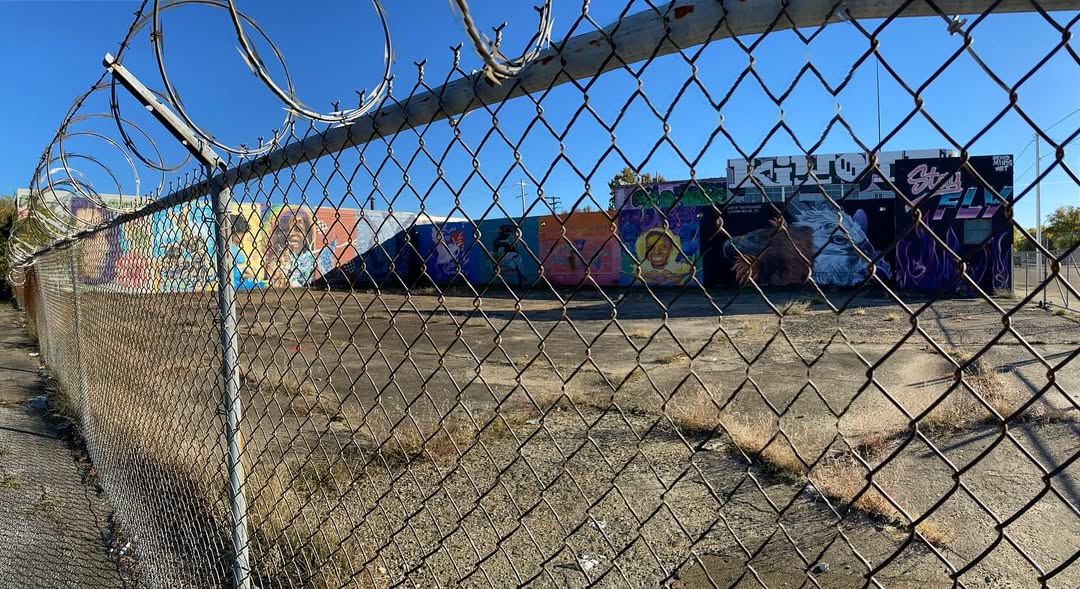
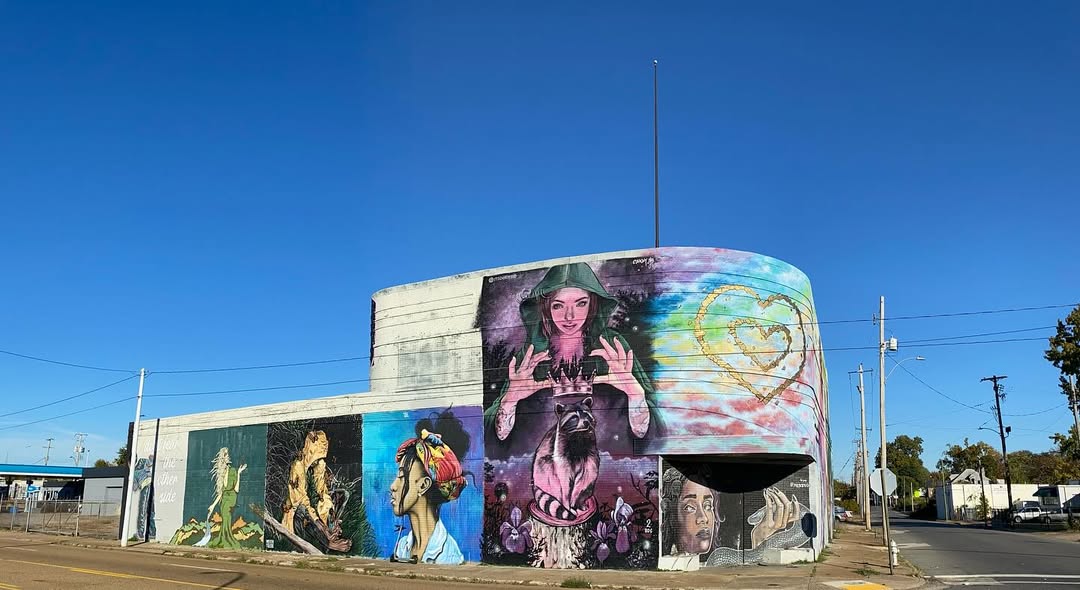
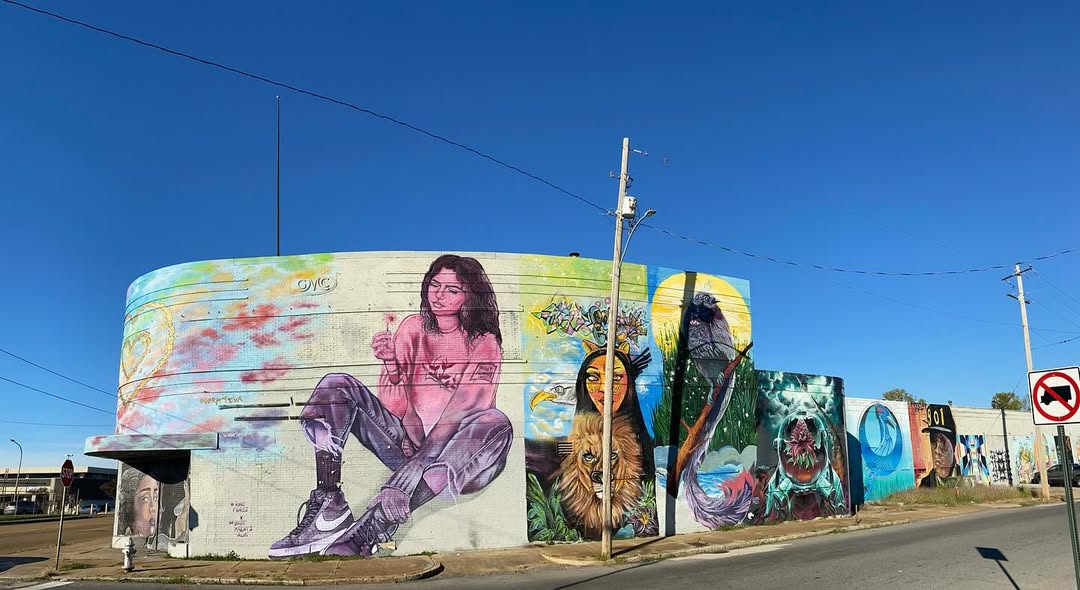
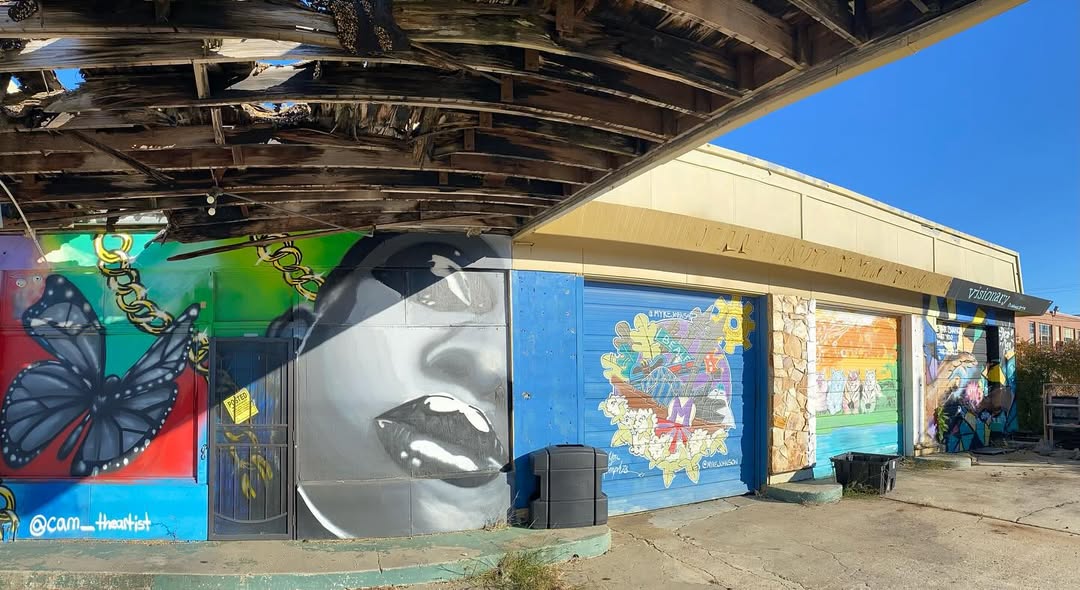
fFAm5xf.jpg

fFAmADG.jpg

fFAmTRn.jpg

fFAmcf2.jpg

fFAmllS.jpg


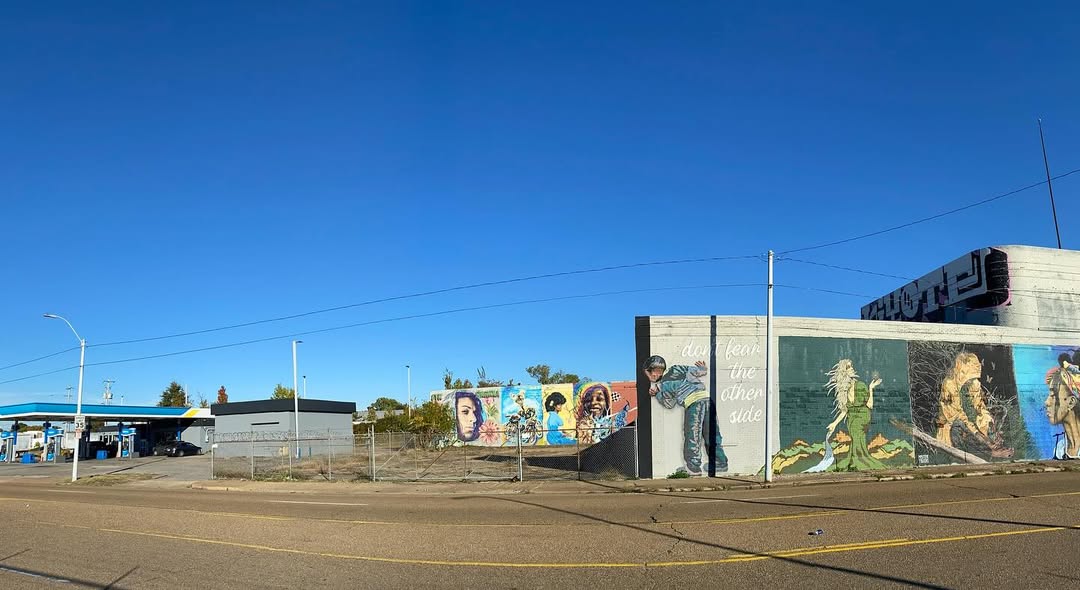
taking my drone next time
 

GoldenGlove

πŸ˜πŸ˜‘πŸ˜ΆπŸ˜‘πŸ˜
Staff member
Supporter
Joined
May 1, 2012
Messages
61,590
Reputation
6,081
Daps
145,245
They worth it, I have 2 Synology NAS units, DS923+ and DS1821+, love them both and can access them anywhere. Synology has mobile apps for your phone to access NAS units. I will say this, beginning of this year, Synology made the stupid move to restrict their 2025 models to only use Synology drives, after all the heated pushback they changed that policy pronto back to accept 3rd party drives. Other companies have stepped up so I would shop around.
Ended grabbing a the UGREEN DXP6800 Pro on Monday. Now I'm just tracking these drives to put in it.
:patrice:
 
Top