The Official Power User Tips, Tricks & Productivity Thread

bnew

Veteran
Joined
Nov 1, 2015
Messages
69,494
Reputation
10,652
Daps
187,875
so i updated the Instagram embed reloader

the script will work for multiple media iframes/embeds:
  • iframe[data-s9e-mediaembed="abcnews"]
  • iframe[data-s9e-mediaembed="acast"]
  • ... and all the others in your list.


Summary of changes:
  • Expanded support to all the listed iframe providers by looping through SUPPORTED_IDS and building a selector for iframe[data-s9e-mediaembed="<id>"] for each.
  • All other logic remains unchanged, so the reload button handling is just as before.

You may now use this script for all of your listed iframe providers.


pastebin.com/mP8JTquP


The script will now:
  • Support per-site button position/color overrides.
  • Only wrap/add reload button for matching iframes, never touching their src except during a button click.
  • Work on dynamic content with a MutationObserver.
  • Use readable default button


pastebin.com/iiKb9nxx


eN2zgNC.png

it adds a reload button next to each iframe.
 

bnew

Veteran
Joined
Nov 1, 2015
Messages
69,494
Reputation
10,652
Daps
187,875
not sure if the above userscript caused a memory leak with certan thread pages with different iframe configurations but just in case I refactored for memory improvements using deepseek non-reasoning.

Here's the complete updated userscript with memory optimizations:


pastebin.com/AMNQCi8T

## Key Changes Made:

1. **Optimized Selector**: Changed from complex 134-ID selector to simple `iframe[data-s9e-mediaembed]` with manual filtering
2. **Throttled Observer**: Added proper timeout management to prevent excessive scans
3. **Observer Cleanup**: Added disconnect logic for page navigation/unload
4. **Reduced Observer Scope**: Removed unnecessary attribute/characterData observation
5. **Memory Management**: Proper cleanup of timeouts and observers

## Verification Checklist:

1. ✅ All media embeds still get reload buttons
2. ✅ Per-site styling and positioning preserved
3. ✅ Reload functionality works on click only
4. ✅ Dynamic content detection still works
5. ✅ Memory usage should be significantly reduced
6. ✅ No breaking changes to existing functionality

The script maintains all original features while reducing memory consumption through optimized DOM queries and proper resource cleanup.
 

bnew

Veteran
Joined
Nov 1, 2015
Messages
69,494
Reputation
10,652
Daps
187,875
for tikviewr.com . it didnt have a close button for the videos so i added one.

You can create a userscript with Tampermonkey or Greasemonkey that automatically inserts a custom "Close Video" button into the modal overlay. This button will call the same closing function (closeGridVideoModal()) used by the existing close button, ensuring seamless integration.
Here’s a complete userscript:


pastebin.com/HCn6i04i

What this script does in plain English​

This userscript works on the website tikviewr.com and automatically adds a big red "Close Video" button inside the video pop-up overlay. When you click the button, it tells the website to close the video player and return you to the normal page.
Behind the scenes, the script:
  • Watches for when a video player appears on the screen.
  • Adds a custom close button that’s easy to see and click.
  • Calls the site’s own built-in closing function so it behaves the same as the original "X" button.
  • If for some reason that function doesn’t exist, it hides the pop-up by changing its style.
So, in simple terms, it makes it much easier to exit out of TikTok videos when browsing anonymously on TikViewr without having to hunt for the small "X" close button.
Would you like me to also make the button appear outside the player (like a floating utility button always visible on screen), or should it stay inside the modal?

  1. https://tikviewr.com
 

bnew

Veteran
Joined
Nov 1, 2015
Messages
69,494
Reputation
10,652
Daps
187,875
An update to the Content element copier code I shared before. It can now click on elements with links without redirecting the page.

Changelog​

  • Added: event.preventDefault() and event.stopPropagation() to prevent hyperlinks and other default browser behaviors from activating when selecting elements

Non-Technical Summary​

This bookmarklet creates a temporary tool that lets you click on any webpage element to copy its HTML code. When activated, it highlights selected elements in red, shows helpful messages at the bottom of the screen, and allows you to exit by pressing Q or Escape key. The recent fix prevents links from opening when you're trying to select them for copying.
javascript


pastebin.com/JuUMVEKc
 

Heimdall

Under His Eye
Joined
Dec 13, 2019
Messages
639
Reputation
403
Daps
1,433
panic-fire-pizza-delivery-donald-glover-community-hgtfloxfvpzc2i77.webp


Sticktock and ProxiTok seem to be dead fyi, but Offtiktok (also an option in LibRedirect) is working well
New TikTok redirect alert 🌠

Offtiktok has been fine for me but this looks okay. I'll try it in LibRedirect, hmm it needs a different kind of redirect


YouTube has been extra :trash: for me lately, it just keeps leaking :mad:

I've had to disable Tracking Protection and uBlock Origin, change the user agent to Chrome and try to minimise the tweaks in Untrap.

Also trying a different userscript now, though it pertains to CPU usage:
For the last couple of weeks I have been trying to address the trash performance on YouTube as well as the way my Firefox would just crash after a couple of weeks. Major changes:
- Switched primary YouTube addon to this instead of Untrap, which I think, was a major contributor :pachaha:
I am still using Mrfdev's Enhancer for YouTube for a couple of things even though it has been discontinued for Firefox :yeshrug:
- Also using fewer userscripts on YT
- Increased max pagefile size. It turns out my max was too low. I didn't think it would be needed as much with more RAM, but I have a script refreshing every minute and I have seen the pagefile size balloon up to 7GB (I previously had the max at 3.5, now at 8GB)
- The main Firefox and extension process still increase in memory usage over time, and Bitwarden is the biggest contributor and I really don't know why. I have tried disabling autofill on some sites
- Oh and I reduced browser.sessionhistory.max_total_viewers, browser.sessionhistory.max_entries, browser.sessionstore.max_serialize_back and dom.ipc.processCount.webIsolated to try to reduce the number of total processes (and memory usage, I hope?)
 
Last edited:

AStrangeName

Member of Snitch Syndication
Joined
Jan 18, 2016
Messages
11,960
Reputation
1,928
Daps
25,908
panic-fire-pizza-delivery-donald-glover-community-hgtfloxfvpzc2i77.webp


New TikTok redirect alert 🌠

Offtiktok has been fine for me but this looks okay. I'll try it in LibRedirect, hmm it needs a different kind of redirect


For the last couple of weeks I have been trying to address the trash performance on YouTube as well as the way my Firefox would just crash after a couple of weeks. Major changes:
- Switched primary YouTube addon to this instead of Untrap, which I think, was a major contributor :pachaha:
I am still using Mrfdev's Enhancer for YouTube for a couple of things even though it has been discontinued for Firefox :yeshrug:
- Also using fewer userscripts on YT
- Increased max pagefile size. It turns out my max was too low. I didn't think it would be needed as much with more RAM, but I have a script refreshing every minute and I have seen the pagefile size balloon up to 7GB (I previously had the max at 3.5, now at 8GB)
- The main Firefox and extension process still increase in memory usage over time, and Bitwarden is the biggest contributor and I really don't know why. I have tried disabling autofill on some sites
- Oh and I reduced browser.sessionhistory.max_total_viewers, browser.sessionhistory.max_entries, browser.sessionstore.max_serialize_back and dom.ipc.processCount.webIsolated to try to reduce the number of total processes (and memory usage, I hope?)
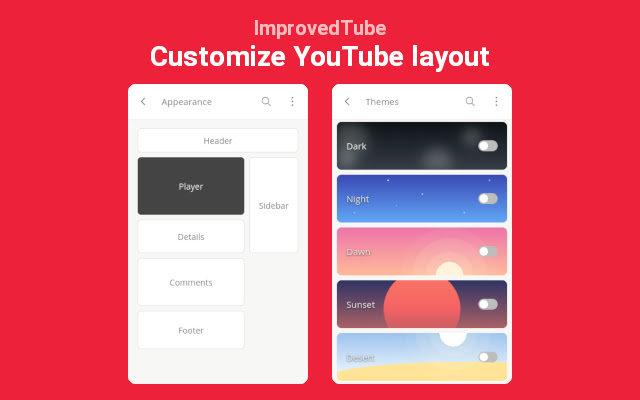
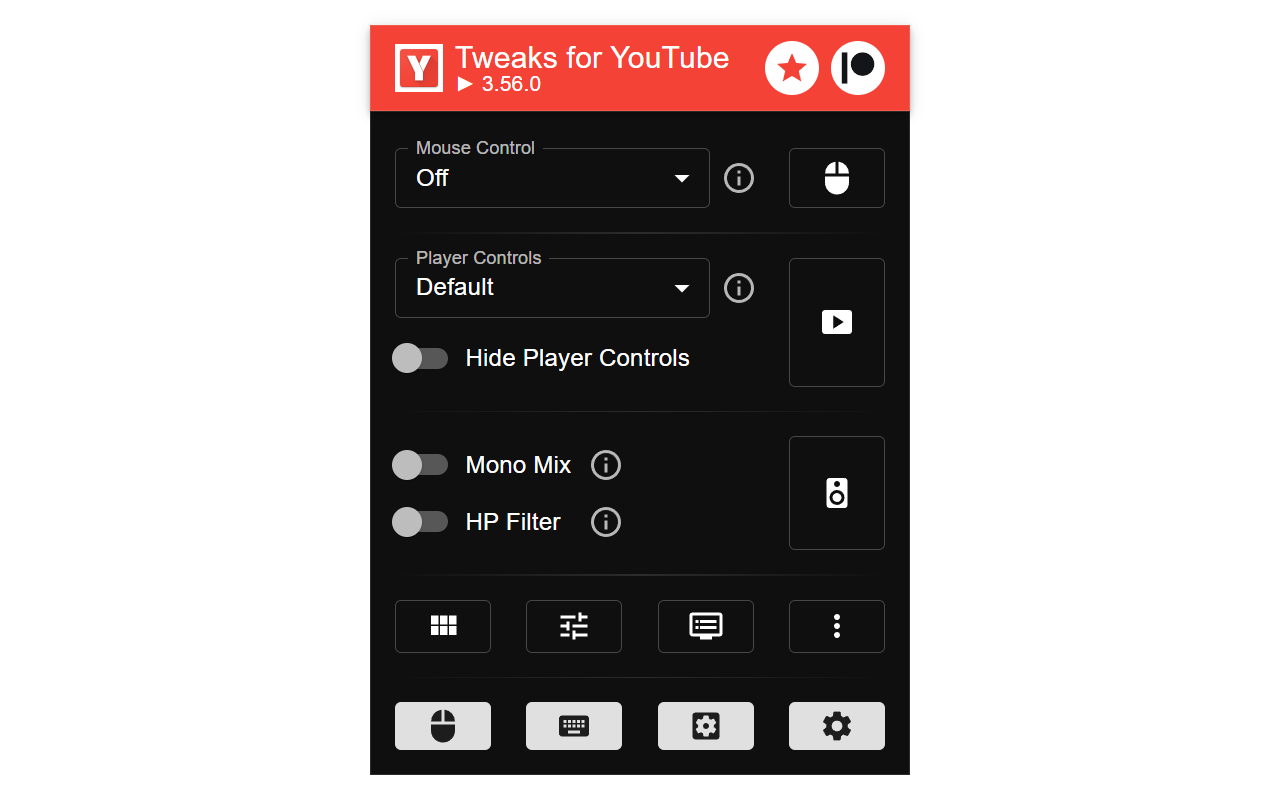
Use Tweaks for YouTube if you keep running into issues

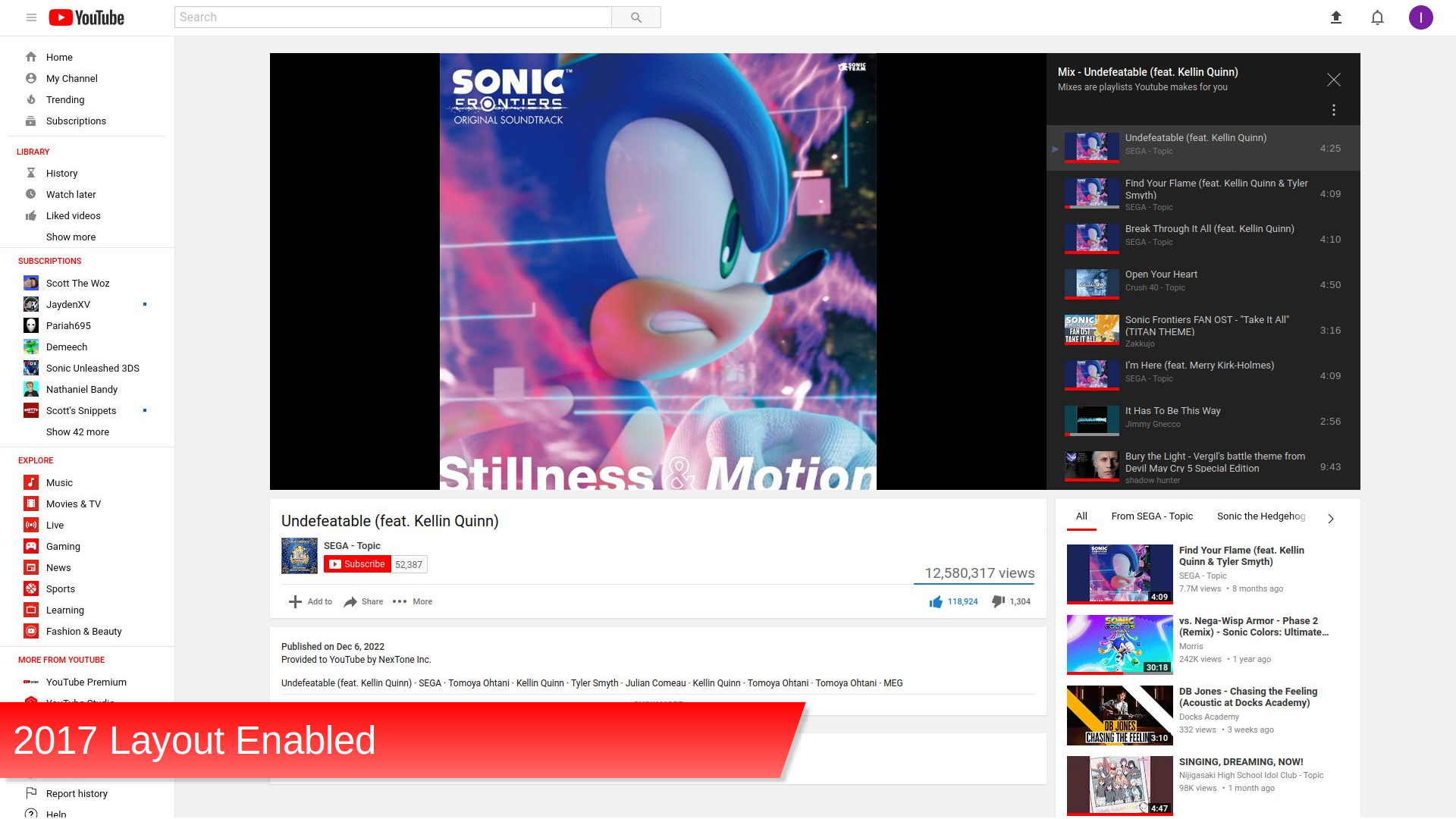
These old layouts :to:
Look what they took away from us :mjcry:
 

Heimdall

Under His Eye
Joined
Dec 13, 2019
Messages
639
Reputation
403
Daps
1,433

I've been using this addon for a few weeks and it makes browsing so annoying, it's basically extinguished the desire to even lurk. :mjlol:
 

Heimdall

Under His Eye
Joined
Dec 13, 2019
Messages
639
Reputation
403
Daps
1,433

Ferdium​

I've been meaning to post about this one for a while.


tbh... it's not all that unlike having a separate browser with pinned tabs for various sites, or multiple PWAs installed but accessible in one window, but it has been very useful to have one completely separate program for multiple services (web apps, basically) - for both ones I use frequently, and ones I use rarely but would have otherwise have had to install something for.

I currently have TickTick, Keep, Calendar, Telegram, Discord, Udemy, ChatGPT/Gemini/Duck.ai set up, but there are plenty of existing ones to choose from, and I don't think it's difficult to add a custom one.

Plus a Gist with a few tips I found.


I think an Android equivalent would be Hermit: Hermit — Lite Apps Browser - Apps on Google Play
 

Heimdall

Under His Eye
Joined
Dec 13, 2019
Messages
639
Reputation
403
Daps
1,433
I recently tweaked my Tailscale setup so I can fully replace OpenVPN (I didn't mind the redundancy, but I don't need it tbh). I also discovered Tailscale Funnels which can apparently be used as reverse proxies (which is something which for some reason I have struggled to get my head around but ChatGPT gave me a nice explanation :mjgrin:) which I intend to try after I have finished setting up the next VM on my homelab.
I tried reading about reverse proxies a few times, but I kept getting bogged down in all the different options and how to get them to work with Tailscale: Pangolin, Caddy, Traefik, Nginx 😵

But last night I finally tried something and got it working. First Tailscale Funnel with forwardproxy to easily switch between containers on the same machine/TS URL, and then (eventually) tsbridge which exposes labelled individual containers as their own services with their own URLs, but can also use Funnel, so now I have working ts.net URLs for Karakeep and FreshRSS that I can access without being on my tailnet.

I thought a reverse proxy between the containers and Tailscale would be necessary so they don't get hammered by crawlers, but given these 'services' have authentication, and TS Funnel is already a form of proxy, I think I'll be okay? (My Rustdesk relay server with a forwarded port has been fine so far...)


What happened to all the Pastebins? :lupe:
 

bnew

Veteran
Joined
Nov 1, 2015
Messages
69,494
Reputation
10,652
Daps
187,875
I tried reading about reverse proxies a few times, but I kept getting bogged down in all the different options and how to get them to work with Tailscale: Pangolin, Caddy, Traefik, Nginx 😵

But last night I finally tried something and got it working. First Tailscale Funnel with forwardproxy to easily switch between containers on the same machine/TS URL, and then (eventually) tsbridge which exposes labelled individual containers as their own services with their own URLs, but can also use Funnel, so now I have working ts.net URLs for Karakeep and FreshRSS that I can access without being on my tailnet.

I thought a reverse proxy between the containers and Tailscale would be necessary so they don't get hammered by crawlers, but given these 'services' have authentication, and TS Funnel is already a form of proxy, I think I'll be okay? (My Rustdesk relay server with a forwarded port has been fine so far...)


What happened to all the Pastebins? :lupe:

pastebin / pastebin.com embeds is no longer working on thecoli and I haven't seen an update by the xenforo team or the dev that does the media plugin.

when you see
---

404 Not Found​


nginx

---

it's not necessarily because the file doesn't exist but because pastebin changed their embed url path from https://pastebin.com/embed_iframe.php?i=KiHTG5PG to https://pastebin.com/embed_js/KiHTG5PG

the bookmarklet and userscript below fixes it.


  • Problem: Old Pastebin iframe URLs (embed_iframe.php) return 404 errors; new URLs use embed_js/ or embed_iframe/.
  • Solution: A bookmarklet to dynamically update iframe src attributes on a webpage.


High-Level Overview​

The task is to explain what the bookmarklet and userscript do on XenForo-compatible forum sites and provide their latest optimized versions without comments. I’ll then append a detailed, simple summary of their functionality.

Scope​

  • Problem: Clarify the behavior of the bookmarklet (artifact_id: d1883ab9-de8c-4f43-98cd-717f926400e1, v7) and userscript (artifact_id: 6d25402a-f082-4c33-9df8-a48561c37039, v3) on XenForo forums.
  • Solution: Provide code without comments and a plain-language summary.
  • Constraints: Maintain prior optimizations (throttling, toast reuse), target XenForo compatibility.

Memory Log​

  • Prior interactions:
    1. Bookmarklet: Evolved from URL fixes to span-priority with optimizations.
    2. Userscript: Mirrored bookmarklet, targeted XenForo threads.
    3. Last update: Fixed CPU/memory issues with throttling and toast reuse.
  • Current request: Explain XenForo behavior, show code, add summary.

Bookmarklet (Without Comments)​


Pastebin URL Fix Bookmarklet (Optimized)

pastebin.com/AymATXhw

Userscript​


pastebin.com/gY50EbkU

Detailed Summary in Simple Terms​

What They Do on XenForo-Compatible Forum Sites​

The bookmarklet and userscript are tools designed to fix broken Pastebin links on XenForo forum sites (like xenforo.com/community/threads/* or any site with URLs like example.com/threads/*). These forums often let users embed Pastebin code snippets (e.g., for sharing scripts or text) into posts. However, older Pastebin embeds might use an outdated link format (embed_iframe.php) that no longer works properly, causing the embedded content to fail to load or display incorrectly. The bookmarklet and userscript step in to update these links to a modern, working format (embed_js/) and ensure the content shows up as intended.

Here’s how they work in simple steps:

  1. Finding Pastebin Embeds:
    • They first look for special <span> tags on the page that XenForo uses to mark Pastebin embeds. These tags hold information about the embed, like the Pastebin ID (e.g., B3aH8ynE), stored in a data-s9e-mediaembed-iframe attribute.
    • If no unprocessed spans are found, they check for existing <iframe> tags with the old embed_iframe.php format as a backup.
  2. Updating the Links:
    • For spans, they read the stored data, pull out the Pastebin ID, and create a new <iframe> with the updated link (https://pastebin.com/embed_js/[Pastebin ID]). This new iframe replaces the span.
    • For existing iframes, they take the old link, extract the Pastebin ID, and update the src attribute to the new format.
    • If the new embed_js/ link fails (e.g., due to site restrictions), they switch it to embed_iframe/ as a fallback.
  3. Showing Feedback:
    • A small pop-up message (called a "toast") appears in the bottom-right corner of the screen. It tells you how many embeds were fixed (e.g., "Updated 2 Pastebin embeds") or if none were found ("No outdated Pastebin embeds found").
    • The toast fades in, stays for 3 seconds, then fades out and disappears.
  4. Keeping Up with Changes:
    • The tools don’t just run once—they keep watching the page. If new Pastebin embeds appear (e.g., when you scroll and more posts load), they automatically update those too. To avoid slowing down your browser, they wait half a second between checks.
  5. Avoiding Duplicates:
    • They mark each span or iframe they process with a data-processed tag so they don’t keep redoing the same ones, which saves time and resources.

Why They’re Useful​

  • Fixes Broken Content: Old Pastebin embeds might not load, leaving blank spaces or errors in forum posts. These tools make sure you can see the code or text someone shared.
  • Works Automatically (Userscript): On XenForo sites, the userscript runs by itself when you load a thread page—no need to click anything.
  • One-Click Fix (Bookmarklet): For any page (not just XenForo), you can click the bookmarklet to fix embeds instantly.
  • Handles New Stuff: If a forum loads more posts as you scroll, the tools catch those new embeds too.

How They’re Optimized​

  • Low Impact: They’re designed to use less of your computer’s power. The watching feature waits between checks, and they reuse the same toast message instead of making new ones every time.
  • Error Handling: If something goes wrong (e.g., a weird span format), they show a toast like "Error parsing span data" and move on without crashing.
  • Smart Fallback: If the modern link format doesn’t work, they try the older one to keep things working.

Example Scenario​

Imagine you’re on a XenForo thread where someone posted a script using a Pastebin embed. The embed shows as a blank box because it’s using the old embed_iframe.php link. You run the bookmarklet (or the userscript does it automatically), and:

  • It finds the span or iframe, grabs the Pastebin ID (e.g., edy4B8du).
  • Updates it to https://pastebin.com/embed_js/edy4B8du.
  • Replaces or updates the embed, and the script appears in a neat box.
  • A toast pops up saying "Updated 1 Pastebin embed."

Limitations​

  • They only fix Pastebin embeds with valid IDs (at least 8 characters long).
  • They might miss embeds if XenForo uses a totally different format they don’t recognize.
  • On very busy pages with tons of changes, they might still use some CPU, but much less than before.
In short, these tools make sure Pastebin embeds on XenForo forums work again by updating old links, showing you what’s happening with toasts, and keeping an eye out for new embeds—all while being efficient and easy to use.

.
 
Top